

Ever wonder how to print an SVG template on a printer so you can cut it by hand? Many people do not own a digital cutting machine, such as Silhouette, Cricut, ScanNCut, Juliet, Etc. If you are one of those people, or you just want to print an SVG file to trace onto something that will not feed through your cutting machine, this post will give you an alternative.
Print SVG Box Templates Using Inkscape
Inkscape is a free program that can be downloaded to your computer. It has been around for many years and is considered “safe.” (Always check your computer compatibility before downloading any program.)
How To Open The SVG File in Inkscape
- Open Inkscape (Yours might look different than mine.)
- Select “File” (Left corner of top menu)
- Open
- Find your template from your computer
- Select It
- Open
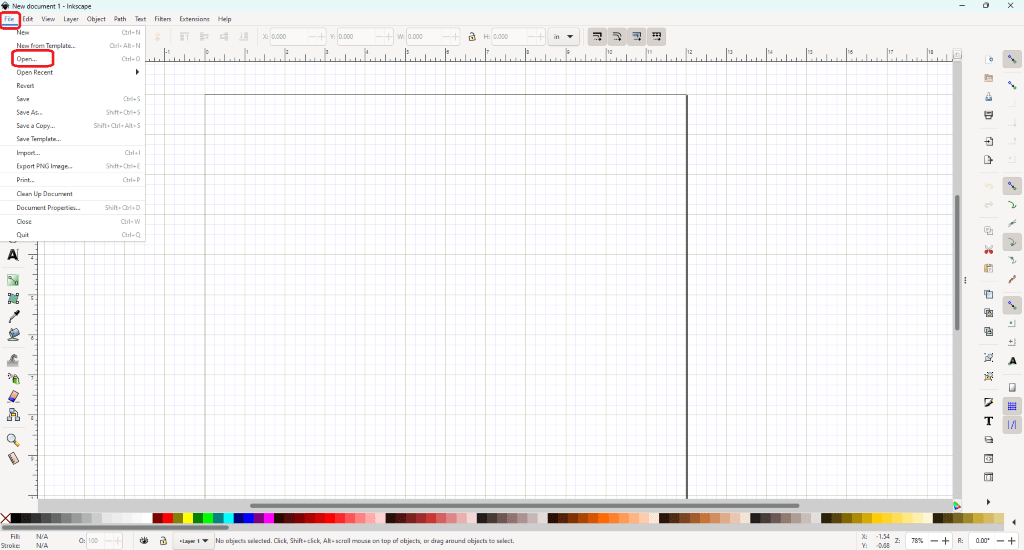
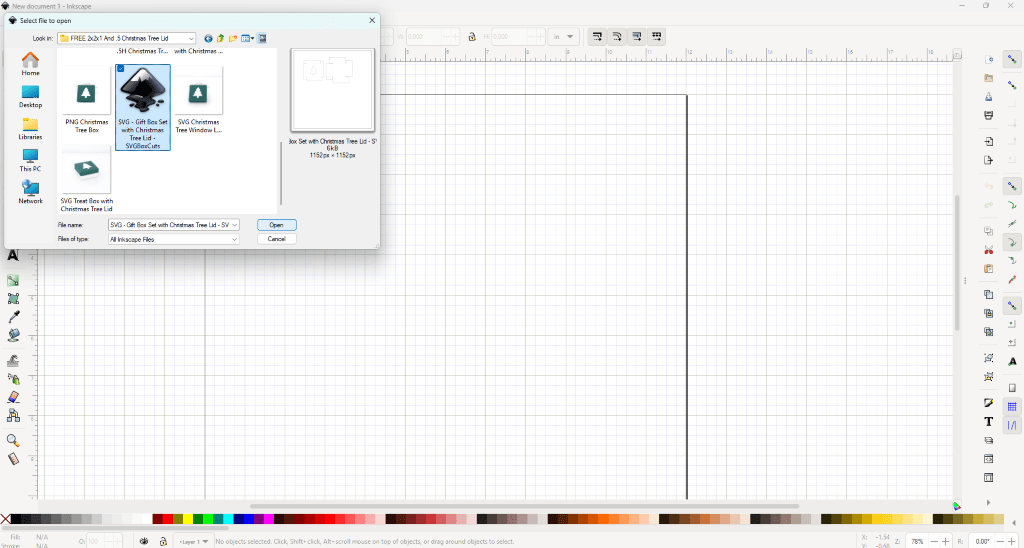
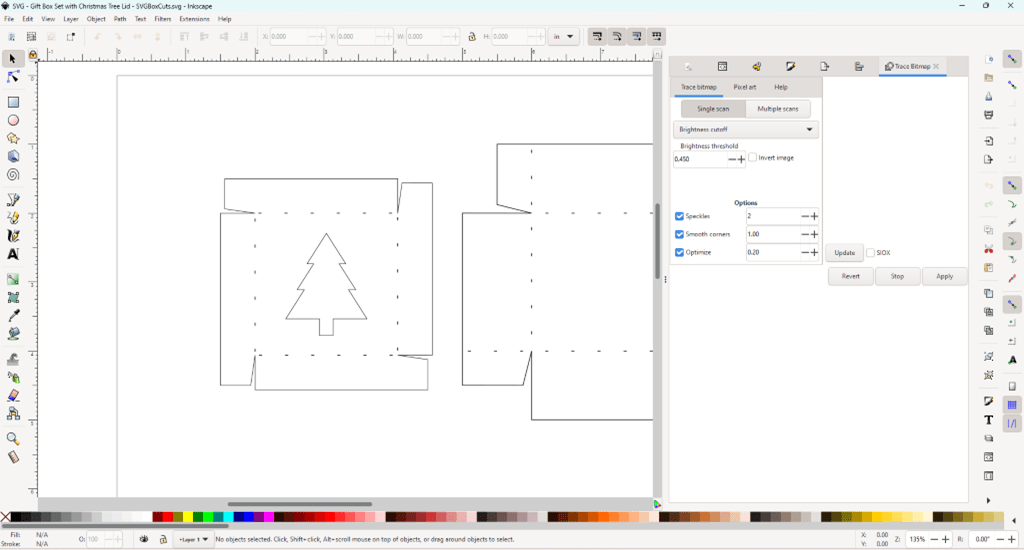
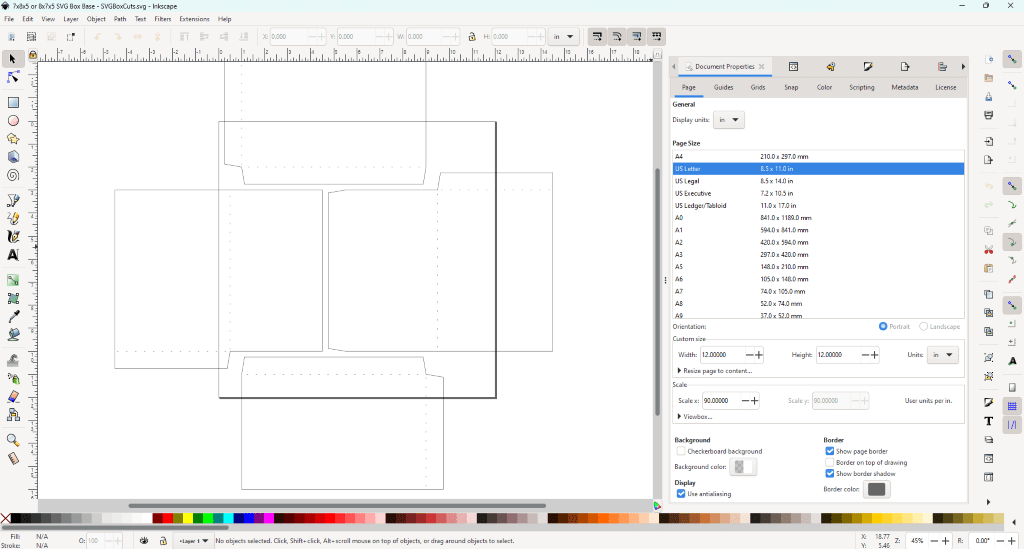
This is how your template will open.
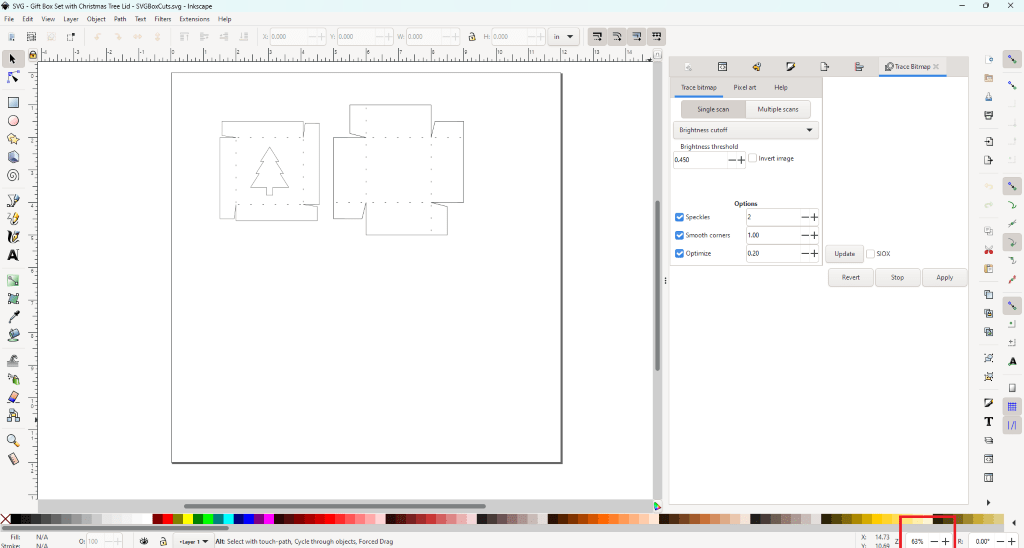
Zoom out so you can see the entire default document size. (The Zoom in and out function is in the bottom right.)
Change Document Size to Match Your Printer
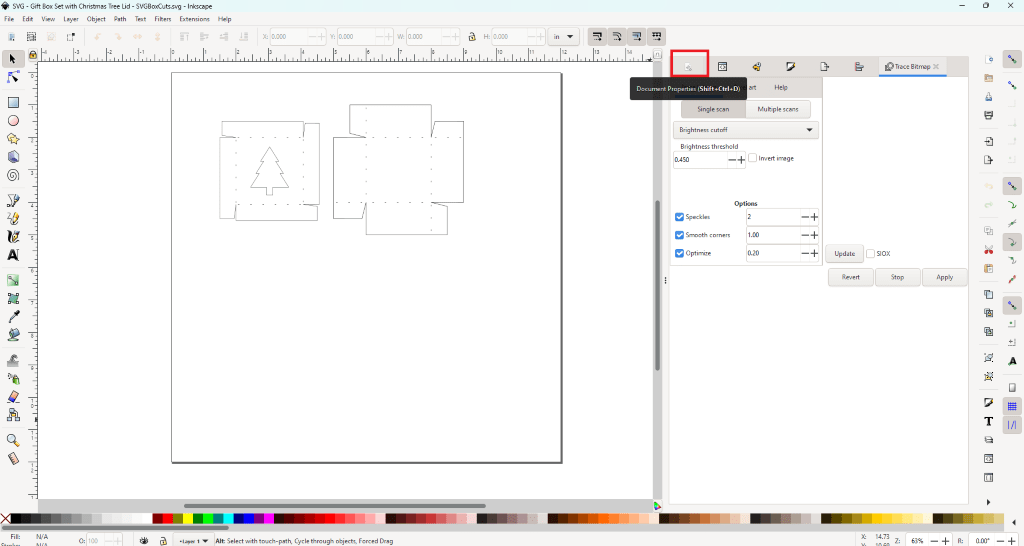
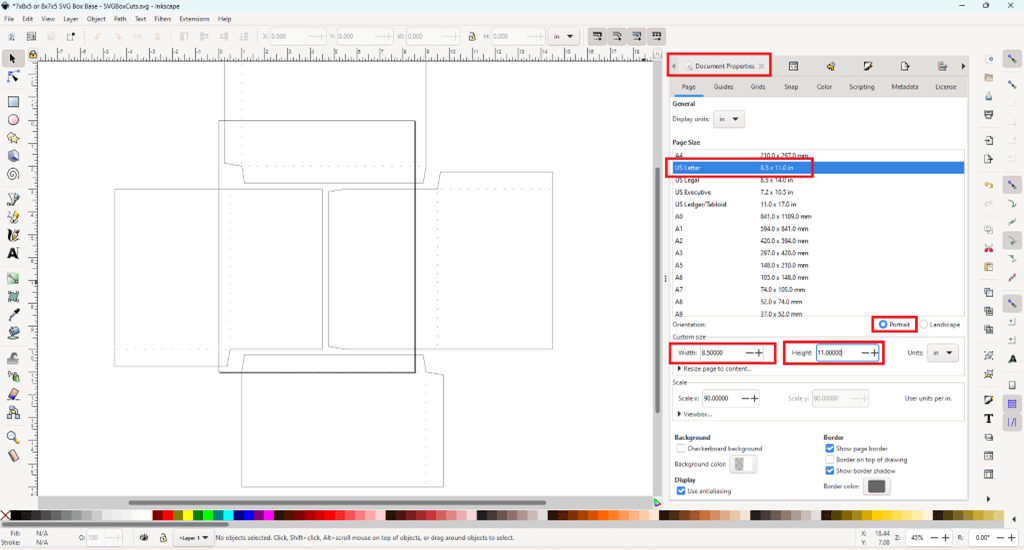
- Select Document Properties from the upper Right Menu (It looks like a wrench.)
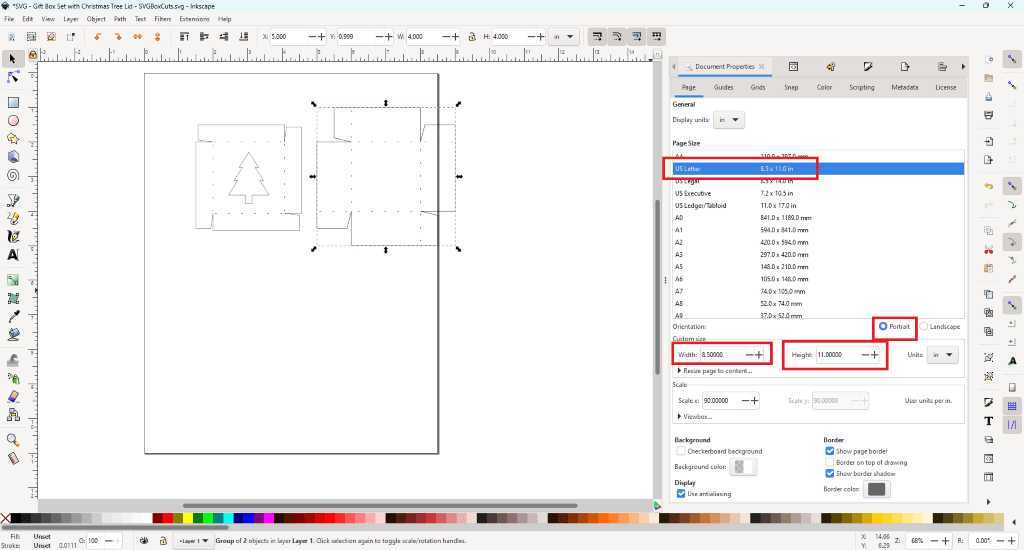
- If you have a standard 8.5 x 11 printer, select US Letter.
- Check to make sure the width is 8.5 and the length is 11 and it is set on “Portrait.”
*This is the default for most printers. If your printer’s default is Landscape you want to select Landscape and make sure your width is 11 and your height is 8.5. Setting this to match your printer creates less confusion when printing. (At least, my printer does not autocorrect.😊)
Print Your SVG Box Template
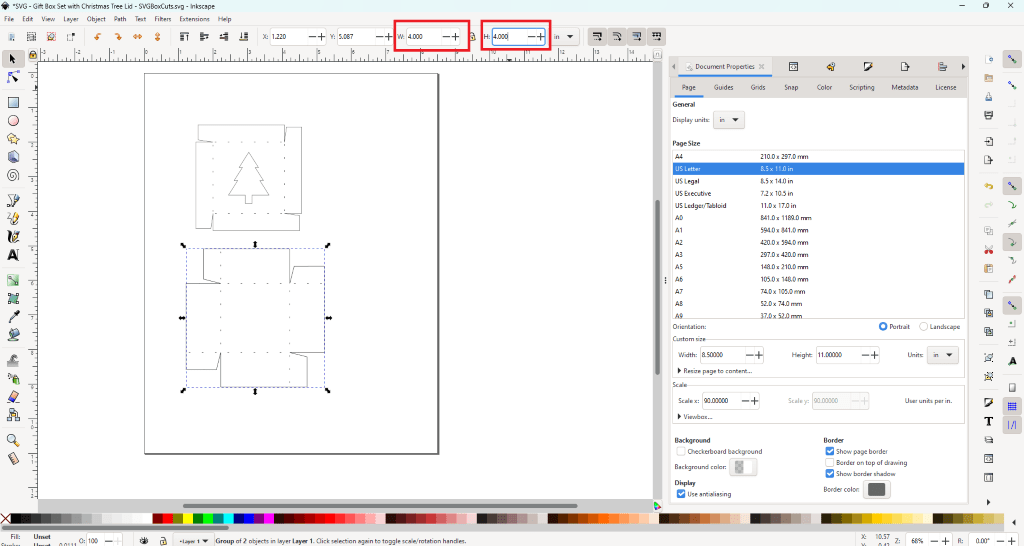
- Double check that the measurements showing in Inkscape match the measurements listed for the SVG template.
*If the measurements are not correct, group all items before moving, and change the dimensions. If you only have the width for the template, make sure the lock is in the locked position, and then update the width size. - Make sure all template pieces you want to print are placed within the document lines.
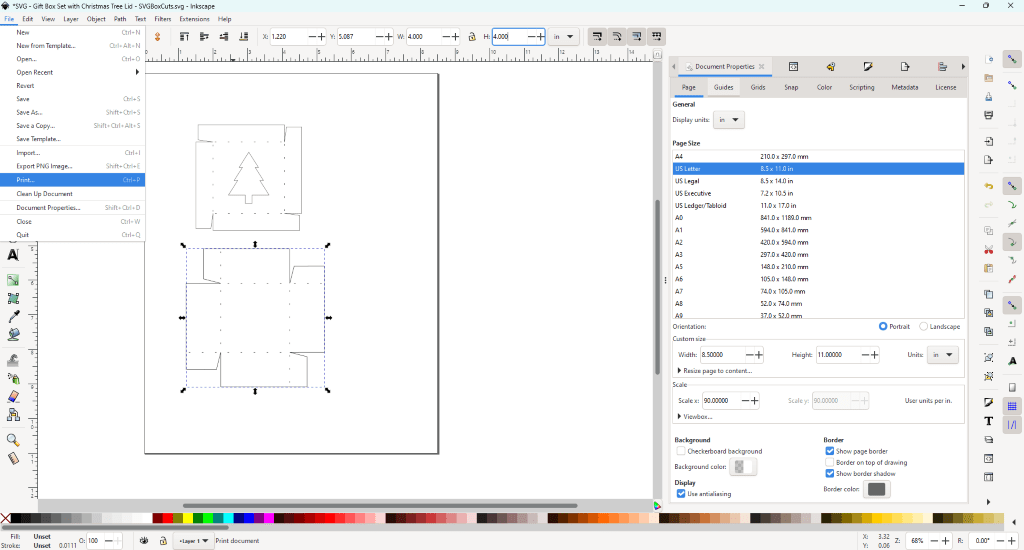
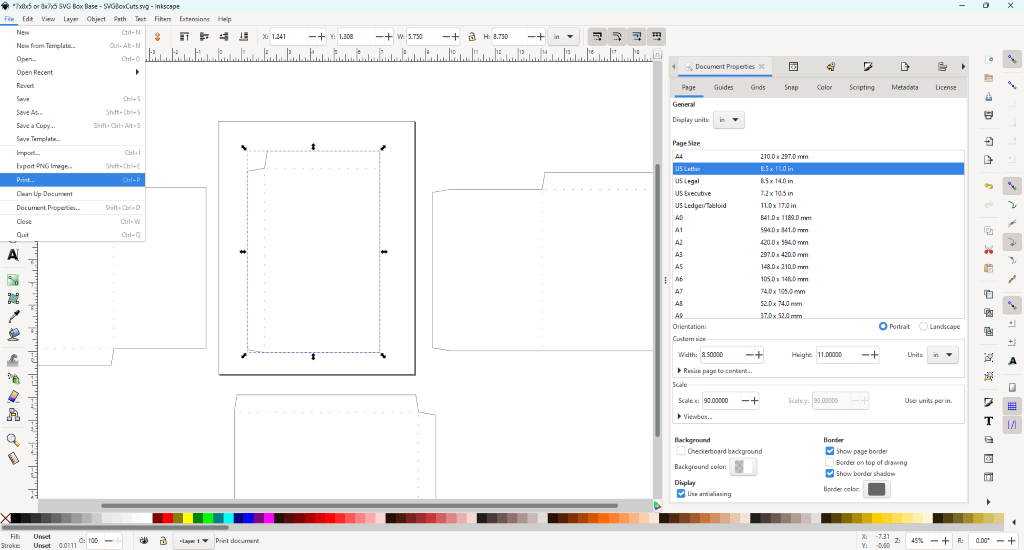
- Select File (Left corner of the Top Menu)
- Select Print
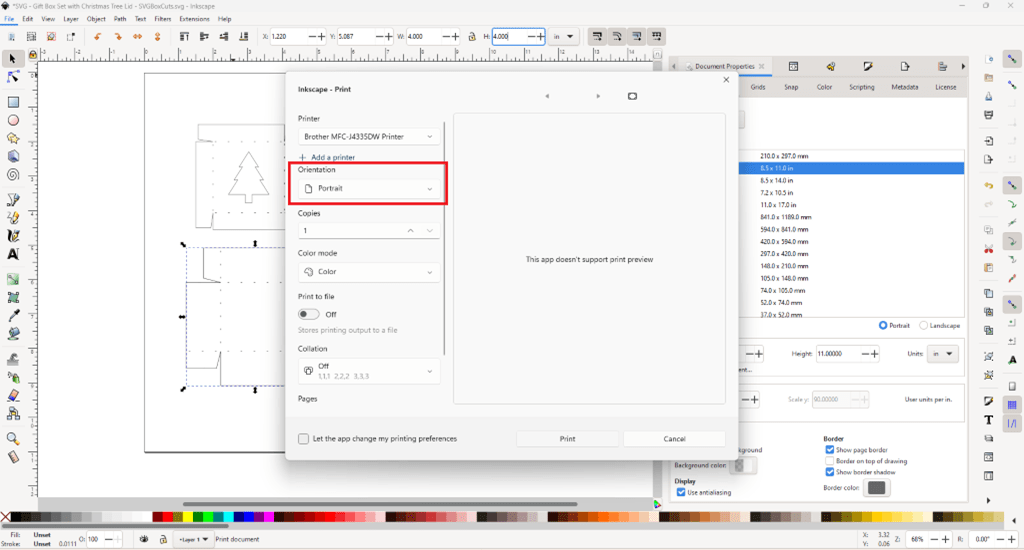
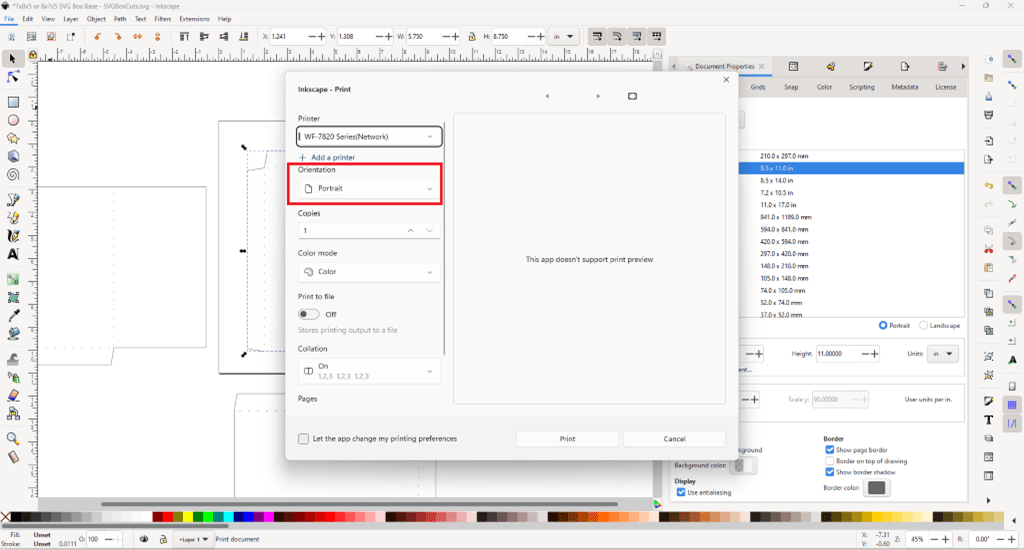
- Double check the default setting for your printer matches your page orientation from your document. (Portrait vs Landscape)
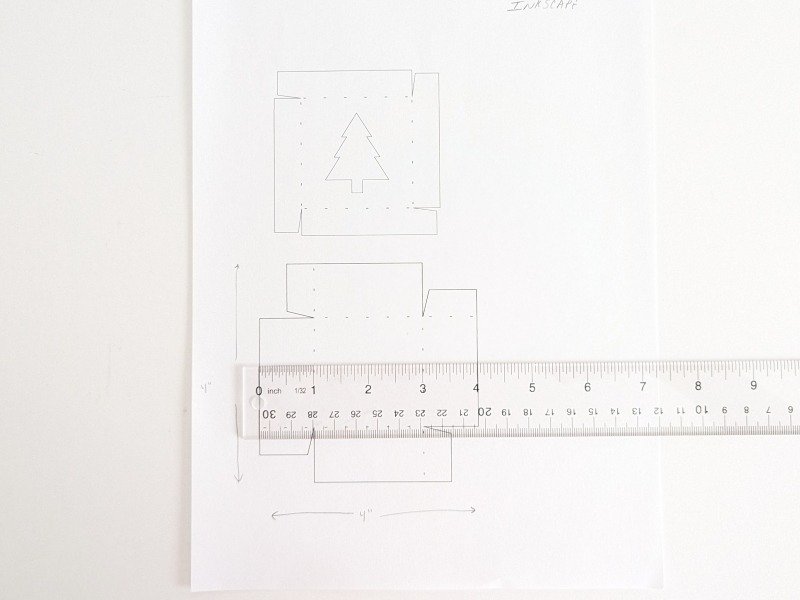
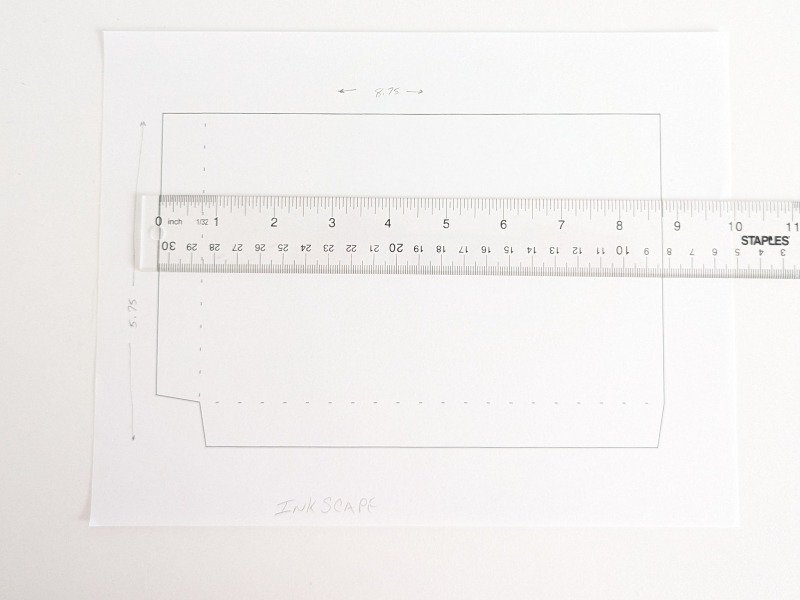
- Double check the printed template size matches the SVG template size.
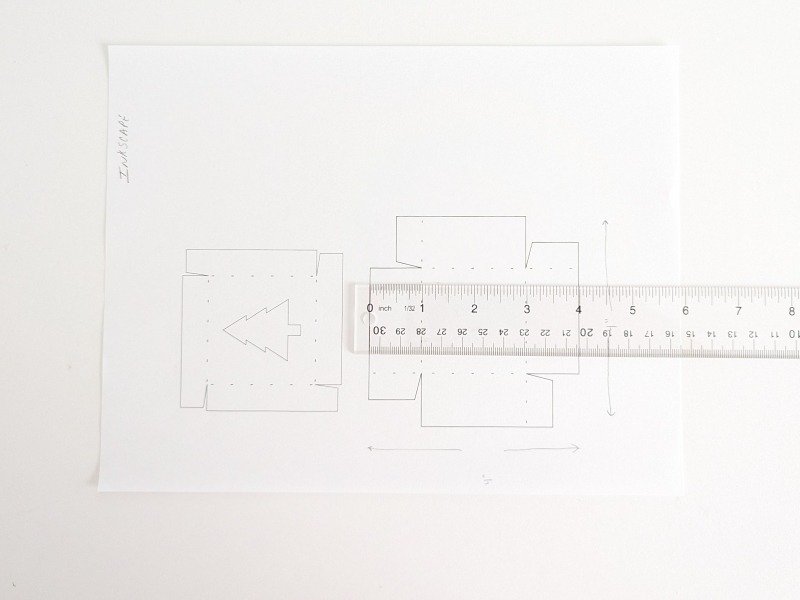
- You are now ready to cut the box template with scissors or a craft knife.
*Cut on the solid lines. Fold on the dotted lines.
How To Print Large Multiple Piece SVG Box Templates
- Follow the instructions above to:
- Open the SVG box template
- Zoom out
- Resize the document properties
Additional Instructions For Large SVG Templates
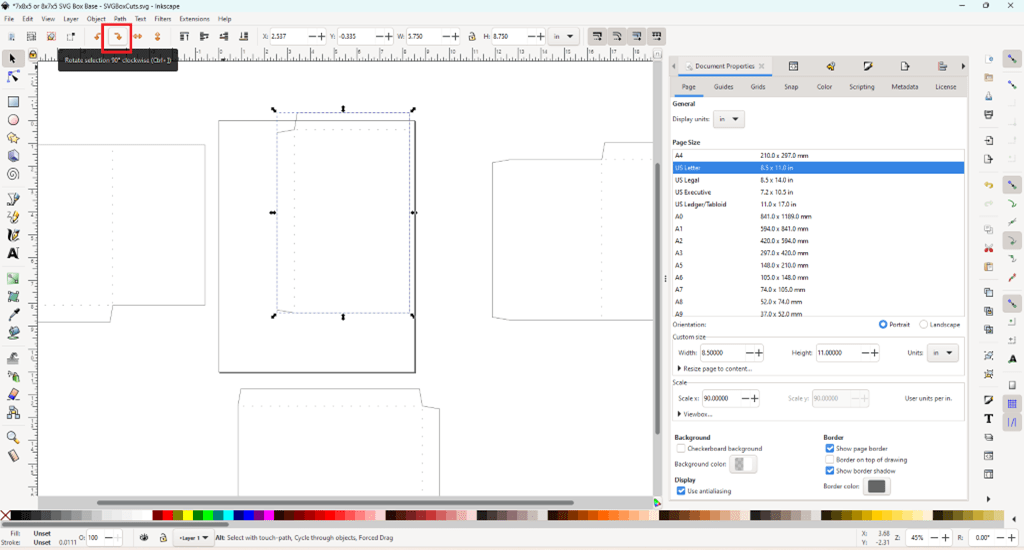
- Move all template pieces off of the document page.
*Make sure the dotted lines move with the solid lines. If they separate “group” them together before moving. - Select one piece of the SVG box template and move it within the document lines.
- If the document does not fit, I recommend rotating the SVG template.
Use the arrow keys across the top of the page.
*If you rotate your document layout to “Landscape” and your printer is not set up for Landscape, the template will be cut off as if it were a “Portrait” cut when it prints.
- Follow previous instructions to print the template.
- Double check the printed template size matches the SVG template size.
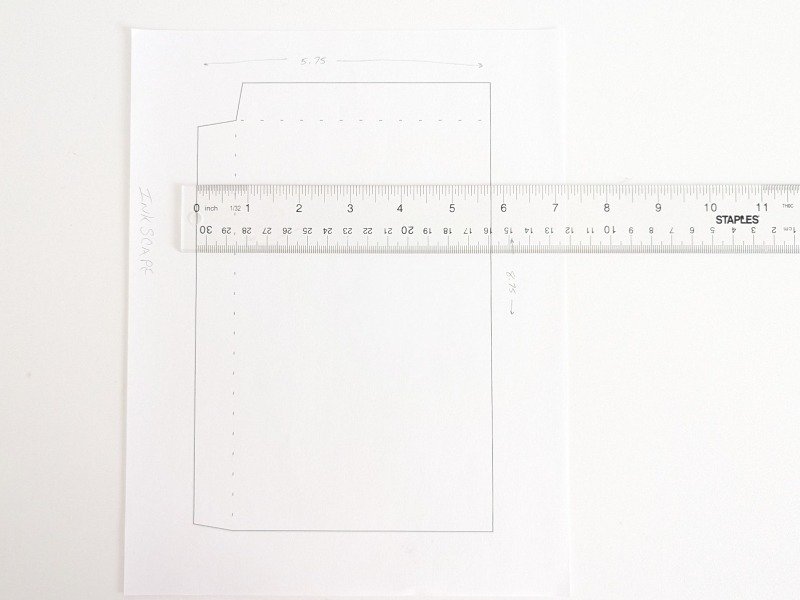
- Repeat the above steps until you have printed each SVG template piece.
- Cut the templates on the solid lines and fold the templates on the dotted lines.